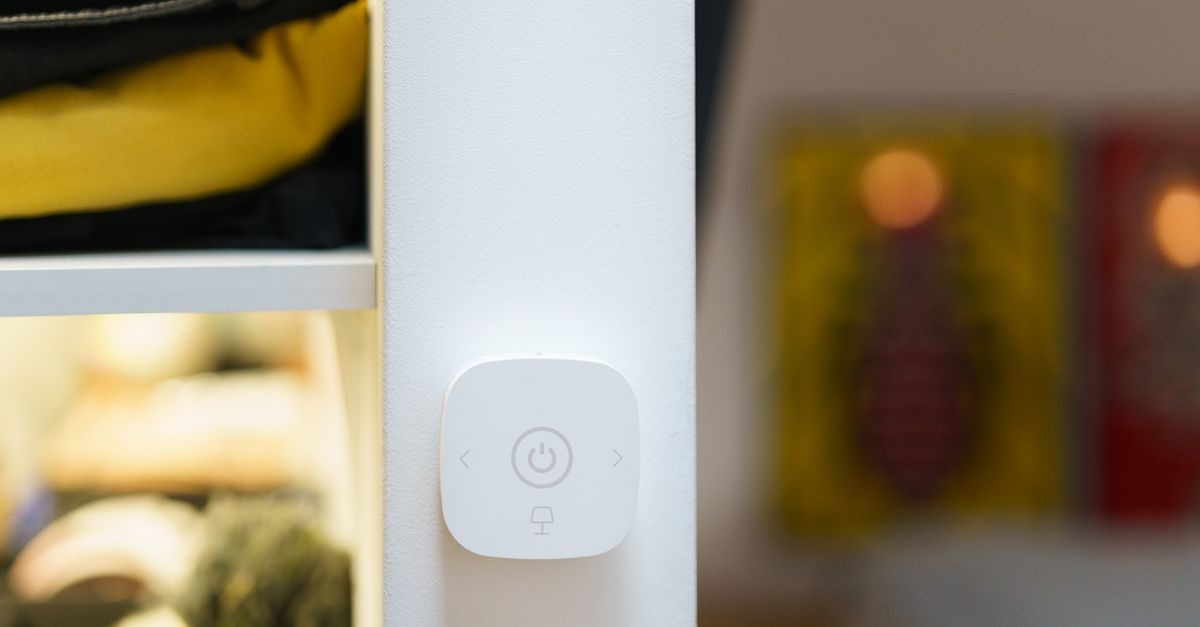
Your home can be smarter without getting complicated. This guide strips away the buzzwords and shows you how to pick a platform, plan your devices, and build a reliable, private, and future‑proof setup step by step. If you’ve wondered how to choose a smart home system for your needs—and actually enjoy using it every day—start here.
What “Smart Home” Really Means (And What It Should Do For You)
A smart home connects everyday devices—lights, locks, speakers, sensors, cameras, thermostats—so they can be controlled and automated. But beyond gadgets, the goal is simple: make routine tasks easier, safer, and more energy‑efficient without adding complexity. The right system quietly works in the background and gets out of your way.
- Comfort: Lights and temperature adapt to your schedule.
- Security: Alerts when doors open, motion is detected, or a leak is found.
- Convenience: Voice control, quick scenes, and automations that run themselves.
- Efficiency: Energy monitoring and timers to trim your bills.
- Accessibility: Assistive controls for mobility, vision, or hearing needs.
Choosing the platform is the foundation. Get that right, and devices, routines, and upgrades become painless.
Start With You: Map Your Lifestyle, Not Just Your Devices
Before you compare hubs or protocols, define what your smart home should accomplish. A system that fits your life is about outcomes, not features.
Questions to Clarify Your Priorities
- Who lives here? Singles, families with kids, roommates, or older adults may need different controls and safety features.
- Home type? Renter vs. homeowner; apartment vs. house; new build vs. retrofit.
- Top goals? Security, comfort, savings, accessibility, entertainment, or a balance of all.
- Tech comfort? Do you prefer a simple app, voice commands, or fine‑grained control?
- Privacy stance? Comfortable with cloud or prefer local processing?
- Budget and timeline? One‑time spend vs. staged upgrades; open to subscriptions?
Your answers will shape which ecosystem, devices, and automation style make sense—and help you avoid expensive detours.
The Smart Home Ecosystems—In Plain English
An ecosystem is the brain and language your devices use to talk to each other. Today’s major options all work well—but they shine in different ways.
Apple Home (HomeKit and Matter)
- Best for: Privacy‑minded Apple households; simple, fast controls; reliable local automations.
- Pros: Strong privacy defaults; fast on‑device automation; elegant app; HomeKit Secure Video (iCloud+); works with Matter and Thread.
- Considerations: iPhone/iPad required; accessory selection can cost more; HomePod/Apple TV required as a home hub for remote access.
Google Home
- Best for: Google/Nest users; strong voice assistant; easy sharing with housemates.
- Pros: Good routines; wide device support; Nest cameras/thermostats; Matter and Thread support via Nest Hubs/routers.
- Considerations: Some features are cloud‑dependent; camera storage may require a Nest Aware subscription.
Amazon Alexa
- Best for: Voice‑centric homes; large device catalog; budget‑friendly devices.
- Pros: Massive compatibility; robust routines; Echo devices can act as hubs for some protocols; strong multi‑room audio options.
- Considerations: Many features rely on cloud; privacy depends on settings; device quality varies by brand.
Samsung SmartThings
- Best for: People who want broad compatibility, multi‑protocol hubs, and a flexible app.
- Pros: Zigbee/Z‑Wave/Thread support on some hubs; solid automation engine; integrates with major ecosystems.
- Considerations: Varies by hub model; some advanced options require more setup; cloud involvement for certain routines.
Home Assistant (Advanced DIY)
- Best for: Tinkerers; privacy purists; deep customization; local‑first control.
- Pros: Local automations; wide integrations; dashboards; no vendor lock‑in; great for mixed‑brand systems.
- Considerations: DIY maintenance; steeper learning curve; choose your own hardware (Raspberry Pi, mini PC, NAS).
All five work with the new cross‑brand standard, Matter, at varying levels. That improves compatibility—but there are still caveats (more on that below).
Protocols and Buzzwords, Decoded
When selecting devices, you’ll see network terms that affect range, reliability, battery life, and setup.
- Wi‑Fi: Direct to your router; great bandwidth for cameras; can burden your network if overused; higher power draw for battery devices.
- Bluetooth LE: Short range; used for initial pairing or simple sensors; often relies on a hub/phone nearby.
- Zigbee: Low‑power mesh for sensors, bulbs, plugs; requires a hub or bridge; mature and reliable.
- Z‑Wave: Similar to Zigbee; strong mesh with good range; hub required; fewer brands than Zigbee but very stable.
- Thread: Modern low‑power mesh; works with Matter; needs a Thread Border Router (many Nest/Apple/Samsung/Eero devices include this).
- Matter: An application standard so devices from different brands can interoperate across ecosystems. It rides on Wi‑Fi or Thread, and aims for local, reliable control.
Rule of thumb: Use Wi‑Fi where you need video or high data. Prefer Thread/Zigbee/Z‑Wave for sensors and switches—they’re much kinder to batteries and scale better in large homes.
The 7‑Step Framework: How to Choose a Smart Home System for Your Needs
You don’t need a degree in networking. Follow these steps to pick a platform and build upward with confidence.
1) Define your top three outcomes
- Examples: Hands‑free lighting, smarter security, lower energy bills, convenience for guests, better accessibility.
- Write them down. Decisions get easier when every purchase maps to a goal.
2) Pick your primary ecosystem
- Choose one main platform (Apple Home, Google Home, Alexa, SmartThings, or Home Assistant). This becomes your day‑to‑day app and automation engine.
- Base the choice on your phones, speakers, and TVs already in use at home.
3) Choose your networking backbone
- For sensors/switches: Favor Thread or Zigbee for low power and resilience.
- For video: Use Wi‑Fi or PoE (Power over Ethernet) for wired reliability.
- If you’re advanced, a multi‑protocol hub keeps options open.
4) Start with high‑impact rooms and scenes
- Front door, main hallway, kitchen, bedrooms—these deliver daily wins.
- Define 3–5 scenes: “Good Morning,” “Away,” “Movie Night,” “Bedtime,” “Vacation.”
5) Buy devices in families when possible
- Sticking with a brand family for core categories (e.g., lighting and sensors) reduces app sprawl and weird edge cases.
- Verify Matter/HomeKit/Alexa/Google badges and firmware update cadence.
6) Automate with clear triggers
- Use sensors, time, geofencing, and device states. Aim for “set and forget.”
- Default to local automations where your platform supports them.
7) Review, tune, and expand slowly
- Fix false triggers, add safety delays, and audit notifications so they remain useful.
- Expand one category at a time to keep your setup understandable and stable.
Matter and Thread: Future‑Proof or Hype?
Matter promises simpler setup and cross‑brand compatibility. It’s real progress—but not magic. Today it works well for many lights, plugs, and some sensors. Cameras, robot vacuums, and more advanced categories are still catching up. Thread provides a power‑efficient mesh so battery sensors can last years and your home stays responsive.
- What works great now: Lights, plugs, some switches, basic sensors.
- Works, but evolving: Locks, thermostats, multi‑button remotes.
- Still maturing: Cameras, advanced security systems, complex media setups.
Tip: It’s fine to mix Matter‑ready gear with proven “bridge” systems like Philips Hue (Zigbee) or Lutron Caséta (ultra‑reliable proprietary RF). Bridges can expose devices to your ecosystem and often beat early Matter implementations in stability.
Privacy, Security, and Reliability: Non‑Negotiables
Privacy Controls That Matter
- Local control first: Prefer systems that keep automations running even if the internet drops.
- Permissions: Limit camera/mic access, turn off unnecessary cloud features, and use guest modes.
- Updates: Choose brands with clear, long‑term firmware support.
Security Best Practices
- Separate Wi‑Fi networks: Put smart devices on a guest or IoT VLAN if your router supports it.
- Strong, unique passwords with a password manager and turn on multi‑factor authentication for accounts and apps.
- Device updates: Schedule monthly checks; enable auto‑updates where safe.
- Physical safety: For locks and garage openers, use reputable brands and consider activity logs and alerts.
Reliability Foundations
- Solid Wi‑Fi: Use mesh systems, wire backhaul where possible, and avoid channel congestion.
- Mesh for sensors: Thread, Zigbee, or Z‑Wave for low‑latency, battery‑friendly networks.
- Bridges/hubs near devices: Keep them centrally located and away from metal/electrical interference.
- Power backup: A small UPS for your hub and router keeps automations alive during outages.
Device Categories: What to Buy First (and What to Skip)
Start Strong
- Smart lighting: Begin with switches/dimmers in key rooms; layer bulbs for color or decorative zones.
- Thermostat: Big comfort and efficiency gains; ensure HVAC compatibility.
- Entry security: Smart lock + door sensor + video doorbell for awareness and convenience.
- Leak and smoke alerts: Inexpensive sensors near water heaters, sinks, and laundry; consider listeners for existing smoke alarms.
- Plugs and power monitoring: Automate routines and cut vampire loads.
Add With Purpose
- Shades/blinds: Morning/evening routines and thermal efficiency.
- Presence via radar or mmWave: More reliable occupancy than basic motion.
- Cameras: Wire power or PoE where possible; set privacy schedules.
- Audio: Whole‑home scenes and announcements; use voice sparingly but helpfully.
Think Twice
- Novelty gadgets: If they don’t tie to your outcomes, skip them.
- Too many brands: App sprawl increases complexity. Consolidate where you can.
- Cloud‑only critical functions: Don’t entrust locks/alarms to unreliable cloud services.
Budgeting and Total Cost of Ownership
Smart homes pay off over time through comfort, security, and energy savings—but plan for the true costs.
- Upfront: Hubs/bridges, switches, sensors, thermostats, cameras, shades.
- Ongoing: Subscriptions (camera storage, monitoring), replacement batteries, occasional device upgrades.
- Hidden: Electrician work for in‑wall switches; better Wi‑Fi or a UPS; optional professional installation.
Tip: Pilot one area per month. Spreading purchases lets you learn, refine, and avoid costly mistakes.
Renters vs. Homeowners: Different Paths, Same Destination
If You Rent
- Favor bulbs, plugs, battery sensors, smart shades, and adhesive mounts.
- Use no‑neutral switches or wireless remotes where wiring constraints exist.
- Keep devices portable and brand‑consolidated for easy move‑out.
If You Own
- Invest in hard‑wired switches and thermostats for reliability.
- Consider PoE cameras and structured cabling during renovations.
- Plan for electrical load, neutral wires, and proper low‑voltage runs.
Automations That Actually Help
Great automations reduce taps—not add them. Tie actions to reliable triggers and keep logic simple.
Everyday Winners
- Arrival/Departure: Geofencing arms security mode, sets thermostat, and adjusts lights.
- Sunrise/Sunset: Exterior lights, shades, and indoor accent lighting follow natural light.
- Presence‑based lighting: Hallways, bathrooms, and closets use motion + short delays.
- Sleep mode: One scene dims bedside lights, locks doors, lowers HVAC, and silences notifications.
- Leak response: Water sensor alert shuts off a smart valve and pushes a high‑priority notification.
Tips for Reliability
- Prefer local execution when your platform supports it.
- Add guardrails: motion cooldowns, time windows, fail‑safes for locks/alarms.
- Batch energy‑intensive tasks to off‑peak hours if your utility offers time‑of‑use rates.
Voice, Apps, Buttons: Control That Everyone Can Use
Not every moment calls for voice or an app. The best homes offer multiple control paths so guests and kids succeed without instructions.
- Wall controls first: Smart switches and physical remotes keep muscle memory intact.
- Voice for hands‑busy tasks: Kitchen timers, “Goodnight,” or “I’m leaving” scenes.
- Apps for configuration and away mode, not minute‑to‑minute control.
- Widgets and watch shortcuts for quick scene toggles.
Sample Setups: Pick the Path That Fits
1) The Simple Comfort Home (Low Maintenance)
- Platform: Apple Home or Google Home
- Backbone: Thread + a few Wi‑Fi devices
- Core devices: Smart thermostat, 6–10 switches/dimmers, 2–4 motion sensors, 2 door sensors, video doorbell
- Scenes: Morning, Away, Dinner, Bedtime
- Why it works: Fast, private, minimal upkeep; high WAF (“wife acceptance factor”) or guest friendliness.
2) The Voice‑First Household (Hands‑Free)
- Platform: Amazon Alexa
- Backbone: Zigbee/Thread via Echo hubs + Wi‑Fi for cameras
- Core devices: Echo speakers/displays, smart plugs for lamps, lock + doorbell, kitchen motion + under‑cabinet lighting
- Why it works: Natural language routines, affordable devices, easy room‑by‑room rollout.
3) The Power User (Local‑First + Custom)
- Platform: Home Assistant (with optional bridges to Apple/Google/Alexa)
- Backbone: Zigbee or Thread for sensors; PoE cameras
- Core devices: Multi‑sensor presence, energy meters, hard‑wired switches, automations with Node‑RED/Blueprints
- Why it works: Maximum privacy and flexibility; unified dashboards; granular logic.
Compatibility Check: Avoid Gotchas
- Look for logos: Works with Apple Home, Google Home, Alexa, SmartThings, Matter.
- Read the fine print: Some features (e.g., camera person detection) may be ecosystem‑specific.
- Bridges aren’t bad: Hue, Lutron, and some shade systems deliver rock‑solid performance via their hubs.
- Firmware matters: A device can gain Matter or Thread later via updates—check the roadmap.
Troubleshooting and Maintenance: Keep It Smooth
- Label devices with plain names by room and function (e.g., “Kitchen Overhead Left”).
- Document automations in a shared note; include triggers, conditions, and actions.
- Quarterly health check: Update firmware, test scenes, replace low batteries, review notifications.
- Network hygiene: Avoid overcrowded 2.4 GHz channels; hard‑wire what you can (hubs, cameras).
Accessibility and Aging‑in‑Place
Small automations can be life‑changing. If accessibility is a priority, design with redundancy and simplicity.
- Multi‑modal alerts: Visual, audible, and haptic notifications.
- Voice + physical controls: Don’t rely on one method.
- Door and stove safety: Auto‑lock reminders, stove monitors, presence‑based lighting.
Energy and Sustainability
Automations can reduce consumption without sacrifice.
- Smart thermostats with occupancy and weather awareness.
- Smart plugs and strips that cut standby power outside active hours.
- Shades + sensors to manage heat gain and reduce HVAC load.
- Appliance scheduling during off‑peak times when available.
A Quick Decision Tree: From Zero to Confident
Step 1: What phones and speakers do you already use?
- Mostly iPhone + Apple TV/HomePod? Apple Home is the easy win.
- Nest hubs, Android phones, or Google TV? Google Home will feel natural.
- Echo speakers/displays everywhere? Alexa keeps it seamless.
- Want maximum control and local privacy? Home Assistant or SmartThings with a local‑first bent.
Step 2: Which backbone fits your home?
- Apartment with lots of Wi‑Fi neighbors? Favor Thread or Zigbee for sensors, Wi‑Fi for a few cameras.
- Large home? Mesh Wi‑Fi + multiple Thread Border Routers or a strong Zigbee/Z‑Wave mesh.
Step 3: What are your day‑one scenes?
- Commit to 3–5 scenes and buy only what those require.
Step 4: Verify compatibility and roadmap
- Check badges, firmware plans, and whether advanced features require subscriptions.
Step 5: Install, test, and iterate
- Deploy to one room, prove reliability, then scale.
Frequently Asked Questions
Is Matter enough to guarantee everything works together?
No. Matter helps immensely, but features vary by device and ecosystem support. Check current compatibility lists and firmware notes.
Do I need a hub?
For Wi‑Fi‑only setups, not always. For Thread, Zigbee, or Z‑Wave devices, you’ll need a hub or Thread Border Router. Hubs add reliability and local control.
What’s the best platform for privacy and local control?
Apple Home and Home Assistant emphasize local processing and privacy. SmartThings and certain Alexa/Google configurations can also run many automations locally.
How to choose a smart home system for your needs if my family uses mixed phones?
Pick the ecosystem that suits the devices you’ll control most (e.g., living‑room speakers/TV). Use Matter or bridges so iOS and Android users both have access.
What’s the simplest way to get started?
Choose a platform, then outfit one key space with a thermostat, two or three switches, a door sensor, and a motion sensor. Build two scenes and one automation per week.
A Practical Checklist: Your First 30 Days
- Day 1–2: Pick a platform and confirm your hub/Thread Border Router.
- Day 3–5: Stabilize Wi‑Fi; plan locations for hubs and sensors.
- Day 6–10: Install two smart switches, one thermostat, one door sensor.
- Day 11–15: Add one motion sensor; create Morning and Bedtime scenes.
- Day 16–20: Add leak sensor and smart plug; test notifications.
- Day 21–25: Tweak triggers and delays; turn off noisy alerts.
- Day 26–30: Decide the next room or category to expand—slow and steady.
The Bottom Line
The best smart home feels invisible—lights respond naturally, comfort adjusts with your routine, and alerts matter when they arrive. If you were wondering how to choose a smart home system for your needs, the answer is to start with your goals, pick one ecosystem that matches your household, build on reliable protocols like Thread/Zigbee, and add devices gradually. Focus on privacy, local control, and scenes that earn their keep every day.
Do that, and you’ll end up with a setup that’s friendly today and future‑ready tomorrow—no jargon required.